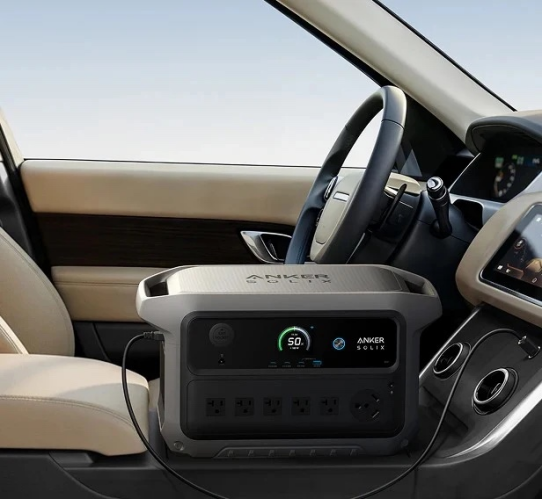
The most important power station ports are the ones that match the devices you plan to run. AC outlets handle household appliances, tools, and other equipment that normally plugs into a wall. USB-C is increasingly valuable for laptops, phones, tablets, and modern accessories, while USB-A supports many existing cables and smaller electronics. DC and 12V outputs suit automotive and camping gear. Before choosing a model, compare each port’s voltage, wattage, charging standard, and shared-output limits. A useful port selection should support your actual equipment without unnecessary adapters or complicated workarounds.
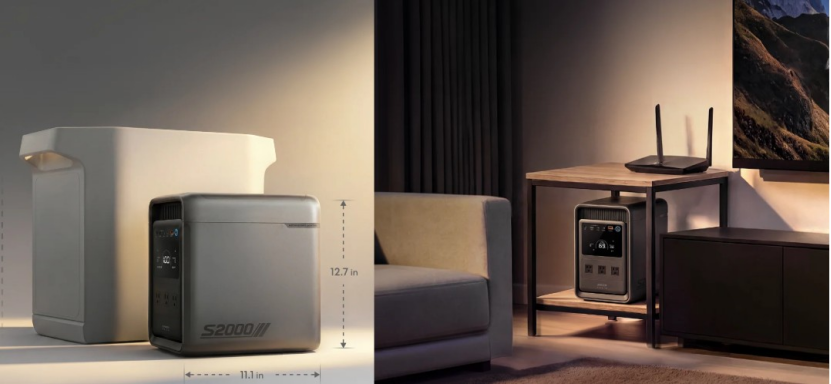
AC outlets provide the familiar wall-style connection needed by refrigerators, televisions, power tools, fans, CPAP machines, kitchen appliances, and many other devices. Their usefulness depends on the power station’s inverter, so check continuous AC output and surge capacity rather than counting outlets alone. Motor-driven equipment may require a brief startup surge above its normal running wattage. Also confirm the voltage and frequency match your devices. Multiple AC receptacles improve flexibility, but the combined load must remain within the station’s total output rating. For home backup and demanding equipment, capable AC output is usually a priority.
USB ports provide efficient, convenient charging without requiring separate AC adapters. USB-C is especially useful because compatible Power Delivery ports can charge phones, tablets, cameras, handheld devices, and many modern laptops at higher wattages. USB-A remains valuable for older charging cables, lights, small fans, and accessories that do not require high power. Check the wattage of each port because identical-looking connectors can support different charging speeds. Also verify whether output drops when several USB ports operate together. A well-designed combination of USB-C and USB-A connections reduces adapter clutter and makes everyday device charging much easier.
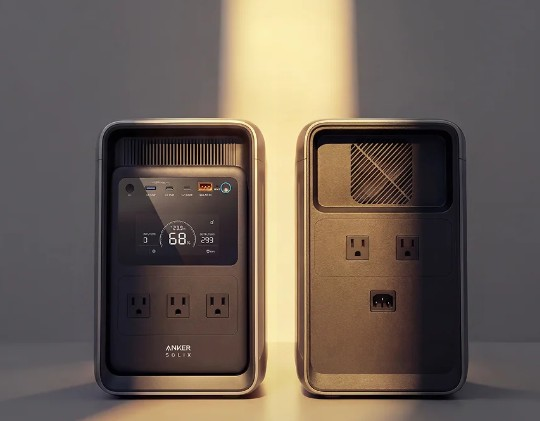
DC and 12V outputs are useful for equipment designed around vehicle-style electrical systems. Common examples include portable refrigerators, air pumps, inflators, lighting, and selected camping accessories. Using a compatible DC connection can also avoid converting battery power to AC and then back to DC through an appliance adapter. Check the required voltage, connector type, current limit, and polarity before connecting equipment. For road trips and campsites, a regulated 12V output can be particularly practical. Always keep the connected device within the individual port rating and the station’s overall output limits.
For home backup, AC capability usually deserves the most attention because refrigerators, routers, televisions, fans, lamps, and essential appliances use wall-style plugs. Compare continuous output with the combined running wattage of the devices you expect to operate, then confirm enough surge capacity for compressor or motor startup. The number of outlets matters when several essentials need power simultaneously. USB ports remain useful for communication devices, but strong AC output provides the broadest compatibility with common household equipment during an outage.
Camping and road trips benefit from a balanced mix of outputs because campsite devices use several connection types. AC outlets can support selected appliances, USB-C can quickly charge compatible phones, tablets, laptops, and cameras, and 12V ports suit automotive or camping equipment. When planning for camping and rain, keep the power station protected according to its manufacturer’s weather guidance while maintaining safe access to the ports you need. A versatile port layout reduces reliance on adapters and lets one station support lighting, communication, cooling, and other compatible gear while preserving convenient charging options for everyone.
For mobile work, high-wattage USB-C Power Delivery can be more useful than adding another AC outlet. A compatible USB-C port may charge a laptop directly, eliminating the laptop’s wall adapter and simplifying a travel bag or workspace. Check the laptop’s required charging wattage and the port’s supported Power Delivery profiles before relying on this setup. Multiple USB-C ports are valuable when you regularly charge a laptop, phone, tablet, camera, or power bank together. USB-A still supports legacy accessories, but strong USB-C output offers greater flexibility for modern productivity devices and can reduce unnecessary AC conversion.
Port labels alone do not show how much useful power each connection provides. Compare the voltage, current, and maximum wattage for each output you use. For USB-C, confirm supported Power Delivery wattage and charging profiles rather than assuming every USB-C connector offers laptop-level power. For AC outlets, review continuous and surge ratings. For 12V connections, check voltage regulation and current limits against the equipment requirements. Read the specifications for shared-output behavior as well, because some ports may reduce available wattage when used together. Matching these figures to device requirements supports charging and more reliable operation.
A station may have many ports yet still face limits when several devices operate simultaneously. Add connected equipment wattage and keep the combined demand within the station’s total output rating. Then check individual port limits, because one outlet or USB-C connection may have a lower ceiling than the overall system. Some models share power across groups of USB or DC ports. Review the manufacturer’s specifications for simultaneous-use restrictions and charging behavior. Planning around these limits helps prevent overload shutdowns, unexpectedly slow charging, or situations where a connected device cannot receive all the power it requires.
Choose ports by listing the equipment you expect to connect rather than selecting a station with the highest port count. Record each device’s connector, voltage, wattage, and charging standard. Household appliances make AC outlets important, while laptops and phones increase the value of high-output USB-C. Automotive coolers and similar equipment make 12V DC essential. Count how many devices could operate at once during normal use. This device-first approach makes the power station easier to use, reduces adapter dependence, and helps ensure available outputs serve real home, travel, or work needs.
The outputs that matter most are determined by your equipment, but AC, USB-C, and 12V ports cover a wide range of power station uses. Prioritize strong AC output for appliances and tools, high-wattage USB-C Power Delivery for electronics, and compatible DC connections for automotive or camping gear. Port count matters only when the station can supply the required wattage simultaneously. Before choosing a model, list your devices and compare their connectors, voltage, wattage, startup requirements, and charging standards. Matching ports to real loads produces a practical and versatile power setup.